Accessing EXPLORE
Requesting Access
At the moment, access to EXPLORE is limited to members of the Faculty of Technology at Bielefeld University, the Fraunhofer IOSB-INA in Lemgo, and Digital Twin Factory GmbH.
First of all, you need an account provided by the IT Services Group of the Faculty of Technology.
If you do not already have an account, you can apply for one on their website. Further information regarding account creation and management is also available there.
If you belong to one of organizations mentioned above, simply send a short email to:
omniverse(at)techfak.uni-bielefeld.de
Please include:
- your name
- your username associated with your account provided by the IT Services Group of the Faculty of Technology
- your organization
- the project for which you would like to use the platform
- a brief description of what you plan to do on the platform
- if applicable, the name and contact details of your supervisor or the person responsible for your project
Platform Availability
Currently, the EXPLORE platform is only accessible from within the network of the IT Services Group of the Faculty of Technology at Bielefeld University.
To work with EXPLORE, you can use one of the following options:
- Work directly from the CITEC building at Bielefeld University using either the
CITECWi-Fi network or a wired Ethernet connection - Use the Faculty of Technology VPN when working outside the CITEC building
Login
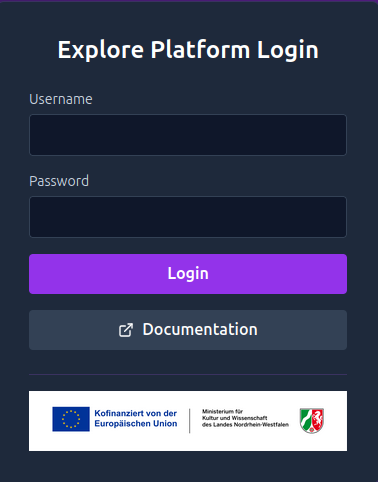
To start using the EXPLORE platform, first log in to the EXPLORE Instance Management website.
Use the username associated with your account provided by the IT Services Group of the Faculty of Technology. As your password, use your service password — the same password you use for services such as the Faculty’s webmail.
After clicking Login, you will be redirected to the instance overview page.
